
Photo Restore
Restore and enhance old damaged photos. An AI photo template in your browser.
Opening your studio…
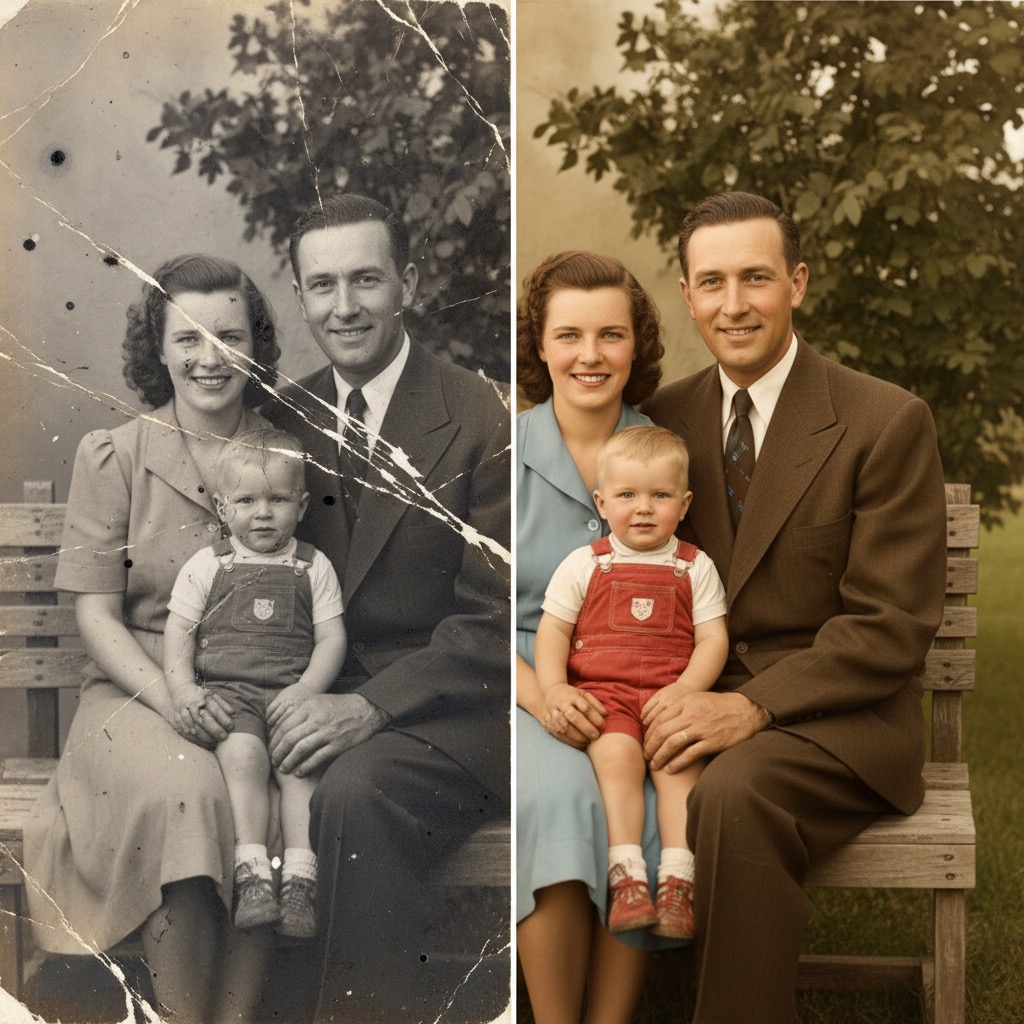
Photo Restore: AI photo template
Restore old, damaged, or faded photographs by removing scratches, tears, stains, and improving overall clarity and color vibrancy.
How to make it
- Open the Photo Restore template in Omni Banana and add a photo.
- Keep the ready-made prompt, or change it to say what you want.
- Choose a model, such as Nano Banana 2, Nano Banana Pro or GPT Image 2.5, and press Generate.
Style
- Photo Enhancement
- Restoration
- Color Correction
The prompt
Restore this old or damaged photograph by removing scratches, tears, stains, dust spots, and fading. Enhance the overall clarity, contrast, and color vibrancy while maintaining the original historical character and authenticity of the photo. Fix any physical damage such as creases or missing portions by intelligently reconstructing them based on surrounding context. 8k resolution, highly detailed, professional restoration.
More templates
- Portal Step: Create character stepping through portal
- Wedding Photo: Transform the people in the photo into chibi-style 3D characters
- 3D Breakout: Create 3d polaroid breakout effect
- Animal Rest: Create an image of a cute chibi-style silicone wrist rest based on the {} emoji
- Cloud Art: Create cloud art
- Retro Poster: A retro-style promotional poster emphasizing bold Chinese text
- CN Wedding: Create 3d chibi chinese wedding scene
- Ghibli: Transform photo into Studio Ghibli style anime