
ESC Diorama
Create esc keycap miniature diorama. An AI photo template in your browser.
Opening your studio…
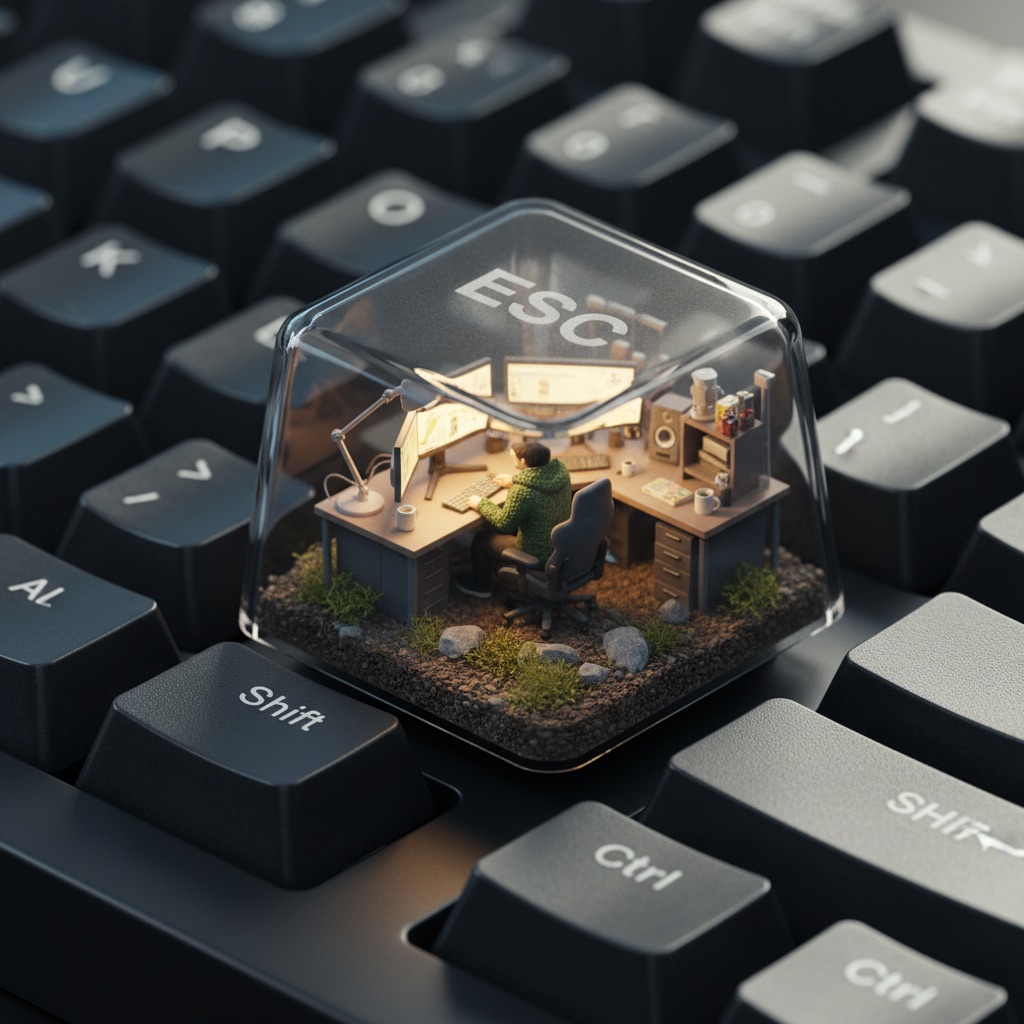
ESC Diorama: AI photo template
A hyper-realistic isometric 3D render of a miniature computer setup inside a translucent mechanical keyboard keycap, specifically placed on the ESC key of a real matte-finished mechanical keyboard. In...
How to make it
- Open the ESC Diorama template in Omni Banana and add up to 4 photos.
- Keep the ready-made prompt, or change it to say what you want.
- Choose a model, such as Nano Banana 2, Nano Banana Pro or GPT Image 2.5, and press Generate.
Style
- 3D Rendering
- Photorealistic
- Isometric View
- Miniature Scenes
- Glowing Effects
- Glass Effect
The prompt
A hyper-realistic isometric 3D render of a miniature computer setup inside a translucent mechanical keyboard keycap, specifically placed on the ESC key of a real matte-finished mechanical keyboard. Inside the keycap, a tiny figure sits in a modern ergonomic chair, wearing a cozy textured hoodie, working at a glowing ultra-realistic computer screen. The environment is packed with lifelike miniature tech accessories: real-material desk lamps, monitors with reflections, tiny speaker grills, tangled cables, and ceramic mugs. The base of the scene is made of soil, rocks, and moss, with photorealistic textures and imperfections. The lighting inside the cap mimics natural morning sun, casting soft shadows and warm tones, while the outside has cold ambient reflections from the surrounding keyboard. The word ESC is subtly etched onto the top of the translucent keycap with a faint frosted glass effect - just barely visible depending on the angle. The surrounding keyboard keys like F1, Q, Shift, and CTRL are crisp, textured, and photorealistically lit. Shot as if taken with a high-end mobile phone camera, with shallow depth of field, perfect white balance, and cinematic detail. 8k, highly detailed, macro photography.
More templates
- Voxel Icons: Create voxel style 3d icon conversion
- Fashion Cover: Create fashion magazine cover style
- Destroy Card: Create physical destruction effect card (lara croft)
- Passport Stamp: Create a realistic passport page with an entry stamp for [{City}, {Country}]
- Paper Emoji: A paper craft-style "" floating on a pure white background
- Emoji Cushion: Create emoji inflatable cushion
- Ordinary: Create extremely ordinary iphone selfie
- Plant Planter: Create cute plant planter