
Multi View
Generate multiple perspective views of objects. An AI photo template in your browser.
Opening your studio…
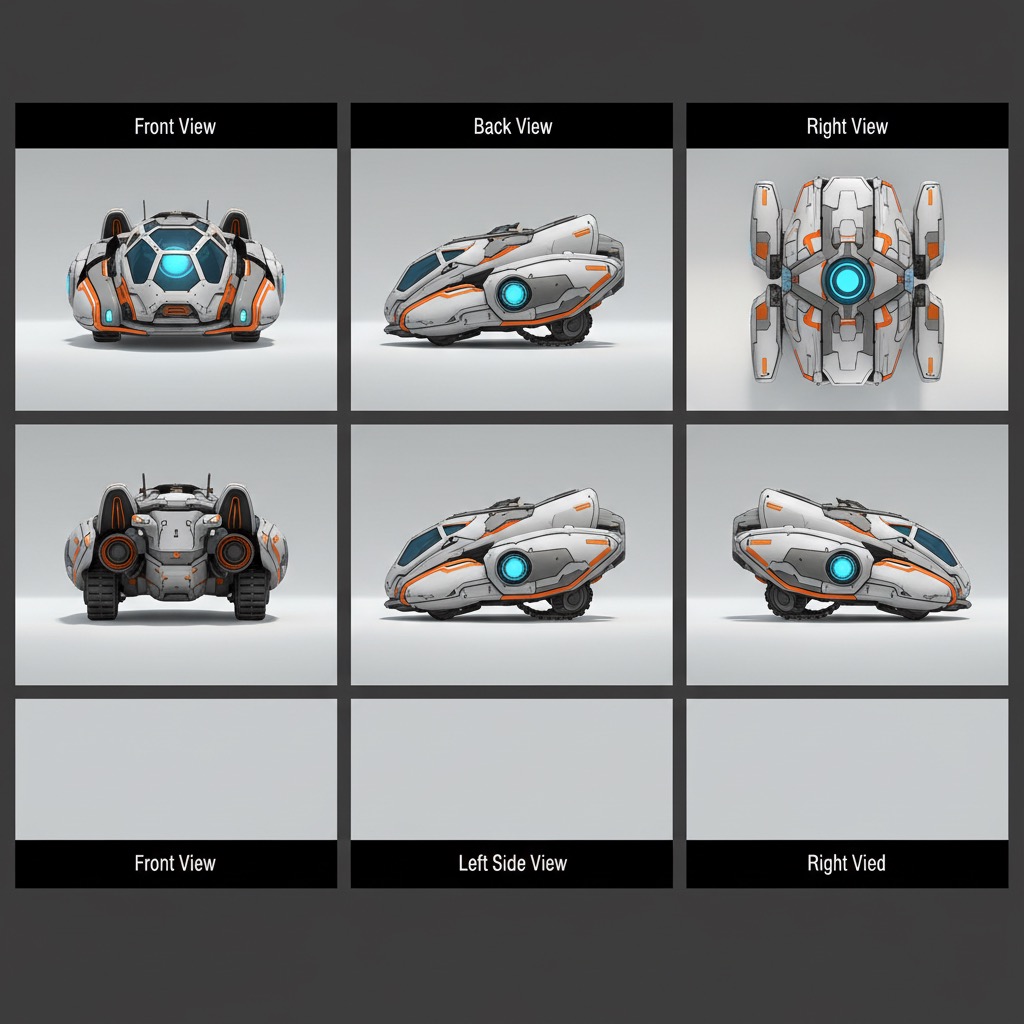
Multi View: AI photo template
Create comprehensive multi-angle views showing front, back, side, and top perspectives of any object for complete visual documentation.
How to make it
- Open the Multi View template in Omni Banana and add up to 2 photos.
- Keep the ready-made prompt, or change it to say what you want.
- Choose a model, such as Nano Banana 2, Nano Banana Pro or GPT Image 2.5, and press Generate.
Style
- 3D Rendering
- Multi-angle View
- Product Design
The prompt
Generate multiple perspective views of this object showing front view, back view, left side view, right side view, and top view. Arrange in a clean grid layout with consistent lighting and scale. Maintain object proportions and details across all views. High quality, 3D render, precise details.
More templates
- Line to Photo: Convert line drawings into photorealistic images
- Action Figure: Transform people into collectible action figures
- Isometric Building: Create isometric architectural models
- Product Package: Design professional product packaging
- Comic Layout: Transform photos into comic book panels
- Illustration Real: Convert illustrations to realistic photos
- Pose Editor: Change character poses and expressions
- Typography Art: Create artistic typography illustrations