
Photo Q
Create photo to 3d q-version style. An AI photo template in your browser.
Opening your studio…
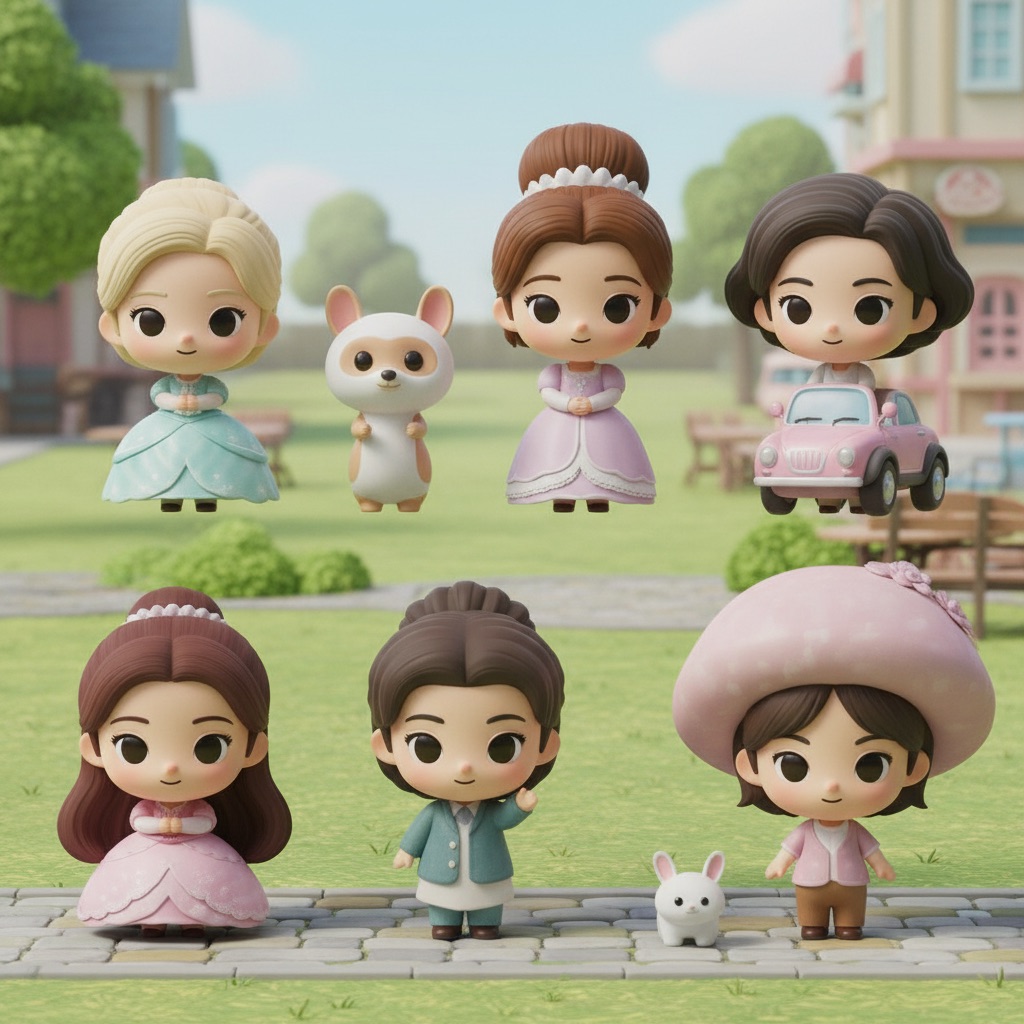
Photo Q: AI photo template
Transform the characters in the scene into 3D chibi-style figures, while keeping the original scene layout and their clothing exactly the same.
How to make it
- Open the Photo Q template in Omni Banana and add up to 4 photos.
- Keep the ready-made prompt, or change it to say what you want.
- Choose a model, such as Nano Banana 2, Nano Banana Pro or GPT Image 2.5, and press Generate.
Style
- Chibi Style
- 3D Rendering
- Pins & Badges
- Landscape
The prompt
Transform the characters in the scene into 3D chibi-style figures, while keeping the original scene layout and their clothing exactly the same. C4D render, 8k, chibi style, high quality.
More templates
- One Piece: Create one piece themed figure creation
- Satire Poster: Create satirical poster generation
- Anime Badge: Based on the person in the attachment, generate a photo of an anime-style badge
- CRT Boot: Retro CRT computer boot screen that resolves into ASCII-art of [shape or logo]
- Pixar 3D: Transform photo into Pixar 3D style character
- Country Diorama: Create country diorama in a toy box
- Action Together: Create action figure and real person in the same frame
- Chibi Stickers: Create chibi character sticker pack