
Glass Overlay
Apply glass and material effects. An AI photo template in your browser.
Opening your studio…
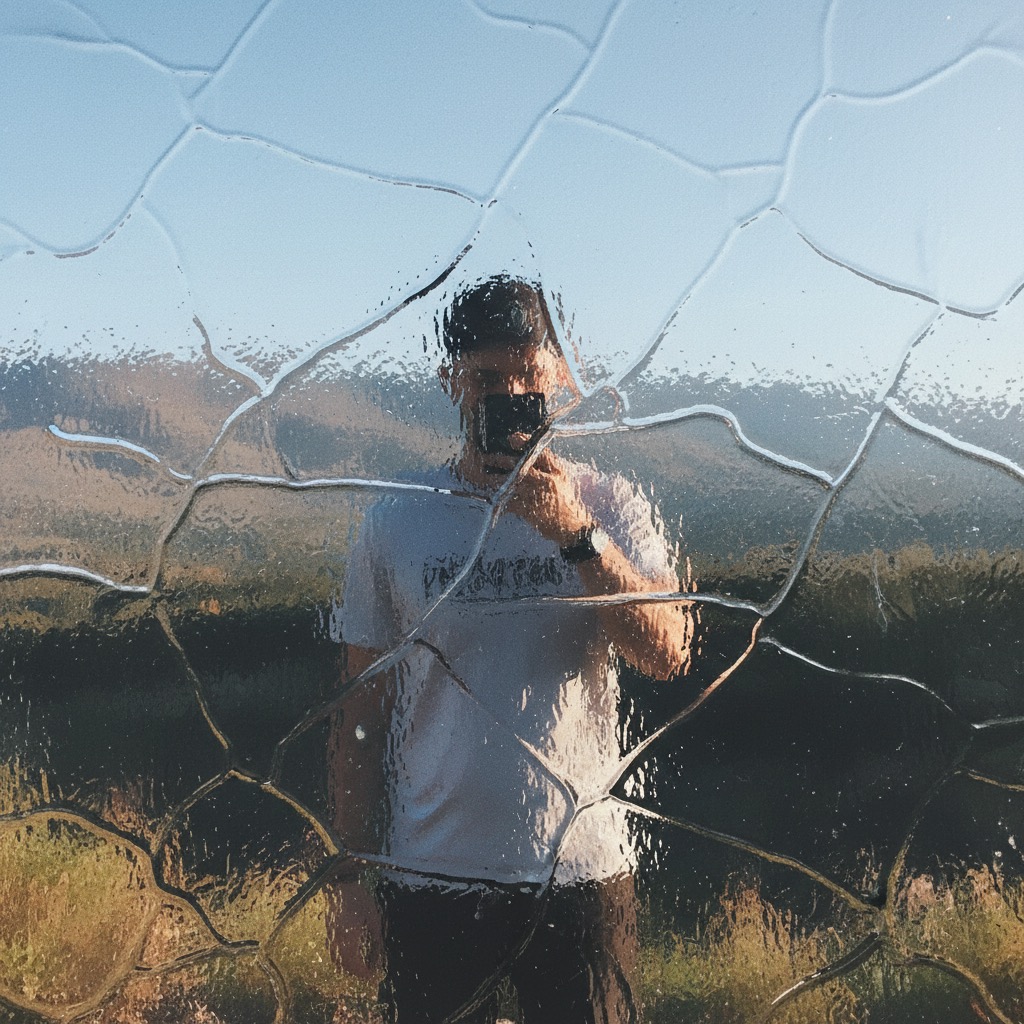
Glass Overlay: AI photo template
Overlay glass, crystal, or other material effects from reference images onto target photos.
How to make it
- Open the Glass Overlay template in Omni Banana and add up to 2 photos.
- Keep the ready-made prompt, or change it to say what you want.
- Choose a model, such as Nano Banana 2, Nano Banana Pro or GPT Image 2.5, and press Generate.
Style
- Material Effects
- Glass Effects
- Overlay
- Visual Effects
The prompt
Overlay the [glass] effect from Image 2 onto the photo in Image 1. High quality, realistic refraction, 8k.
More templates
- Chibi Design: Create chibi character versions
- LEGO Figure: Create LEGO minifigure packaging
- Gundam Figure: Create Gundam model kit packaging
- Business Portrait: Professional business studio portrait
- Skydiving Selfie: Dynamic skydiving action selfie
- Fashion Monochrome: Editorial high-fashion monochrome
- Sporty Figure: Photorealistic action figure packaging
- Anime Figure: Anime-style figure on desktop