
Gundam Figure
Create Gundam model kit packaging. An AI photo template in your browser.
Opening your studio…
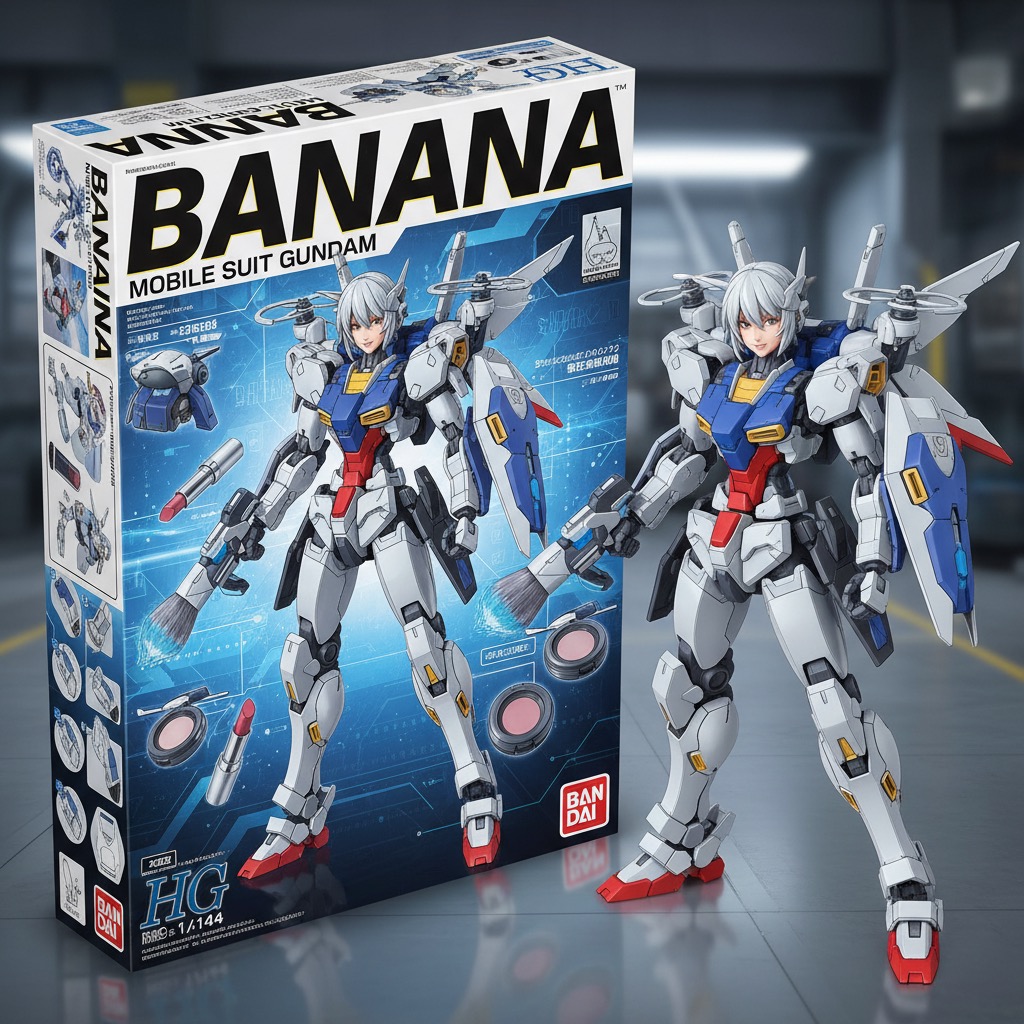
Gundam Figure: AI photo template
Transform people into Gundam-style mechanical figures with authentic Gunpla packaging presentation.
How to make it
- Open the Gundam Figure template in Omni Banana and add a photo.
- Keep the ready-made prompt, or change it to say what you want.
- Choose a model, such as Nano Banana 2, Nano Banana Pro or GPT Image 2.5, and press Generate.
Style
- Gundam Style
- Mecha Design
- Model Kit
- Collectible Packaging
The prompt
Transform the person in the photo into a Gundam model kit packaging box style, presented in isometric perspective. Label the box with the title "Banana". Inside the box, display a Gundam-style mechanical version of the person from the photo, along with their essentials (such as makeup, bags, or other items) redesigned as futuristic mechanical accessories. The packaging should resemble real Gunpla boxes, including technical illustrations, instruction manual-style details, and sci-fi fonts. Beside the box, also display the actual Gundam-style mechanical figure itself, outside the packaging, rendered in a realistic and lifelike style, similar to official Bandai promotional renders.
More templates
- Business Portrait: Professional business studio portrait
- Skydiving Selfie: Dynamic skydiving action selfie
- Fashion Monochrome: Editorial high-fashion monochrome
- Sporty Figure: Photorealistic action figure packaging
- Anime Figure: Anime-style figure on desktop
- Photo Restore: Restore and enhance old damaged photos
- Portal Step: Create character stepping through portal
- Wedding Photo: Transform the people in the photo into chibi-style 3D characters